
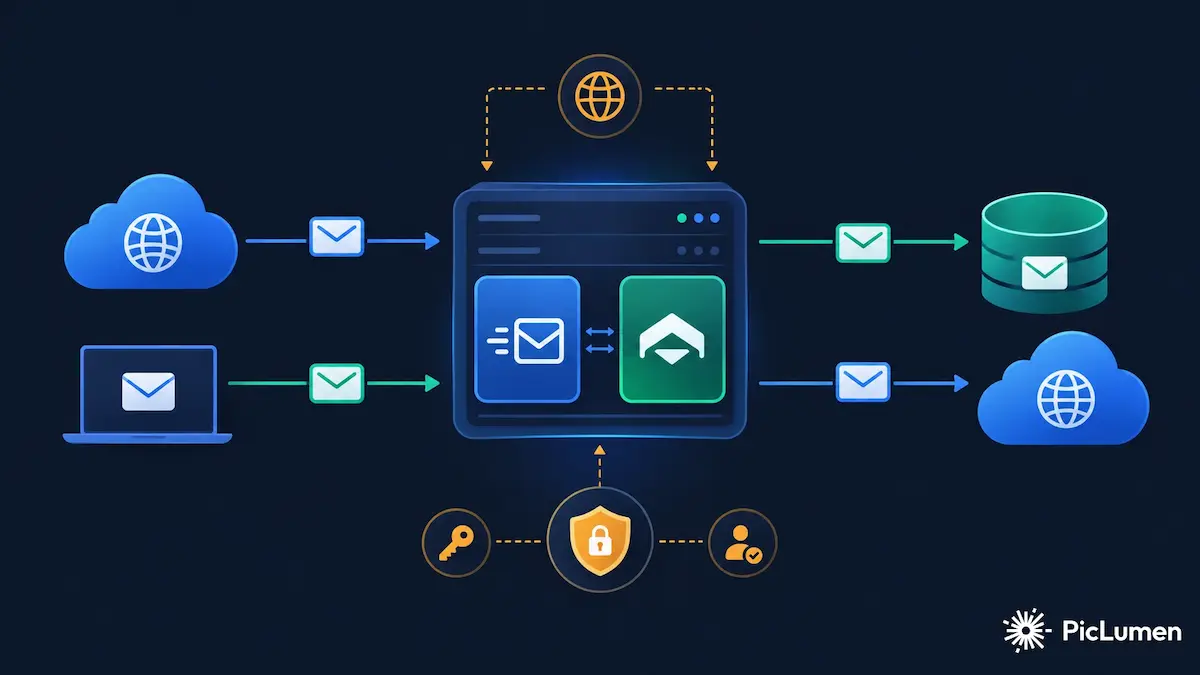
1. What is a Mail Server and what components does it consist of?
A real Mail Server is not just "installing Postfix". An email system consists of several independent services, each with a specific role: receiving email from the internet, delivering it to the Mailbox, making it readable through a Mail Client, and sending users' email to the internet.
The main components of a Mail Server:
- MTA (Mail Transfer Agent): responsible for transferring email between servers and delivering it to the Mailbox. Examples: Postfix, Exim, Sendmail.
- MDA/LDA (Mail Delivery Agent): responsible for delivering email from the MTA to the user's Mailbox. In this article we use Dovecot LMTP.
- SMTP: the standard protocol for sending and transferring email.
- IMAP: the standard protocol for reading email from the Mailbox.
- Mailbox Storage: where messages are stored; in this article we use Maildir.
- DNS: without it, no server knows where to send email and no recipient can verify the sender's authenticity.
- TLS: for encrypting the connection between Client and Server and between Servers.
In this article we use Postfix as the MTA and Dovecot as the IMAP Server and MDA. This combination is one of the most common and most stable Mail Server architectures in the Linux world.
2. Architecture and email flow
Understanding the email flow is a prerequisite for troubleshooting. An inbound email from the internet and an outbound email from a user take different paths.
2.1. Inbound path (receiving email)
Internet
   ↓
DNS (MX Record)
   ↓
Postfix (SMTP port 25)
   ↓
Dovecot (LMTP)
   ↓
Maildir (Mailbox)
   ↓
IMAP (Client)
When an external server wants to send email to your users, it first asks DNS for the MX record of your domain. It then connects to Postfix on port 25 (SMTP). Postfix receives the message and delivers it to Dovecot via LMTP. Dovecot stores the message in the user's Maildir. The user finally reads the message via IMAP.
2.2. Outbound path (sending email)
Mail Client
   ↓
SMTP Submission (port 587 + STARTTLS + AUTH)
   ↓
Postfix
   ↓
DKIM Signing
   ↓
Internet
   ↓
Recipient Mail Server
When a user wants to send email, the Mail Client connects to Postfix on port 587 (Submission), authenticates and sends the message. Postfix signs the message (DKIM) and sends it to the recipient's server.
3. Hostname and Domain design
One of the most common mistakes when setting up a Mail Server is mixing up the concepts of Hostname and Domain. These are two different concepts:
- Domain: the domain the email addresses belong to; such as
example.com. - Mail Hostname: the name the Mail Server introduces itself with; such as
mail.example.com. - OS Hostname: the server operating system's name; such as
srv-01. This name does not necessarily match the Mail Hostname. - PTR Hostname: the name Reverse DNS assigns to the server's IP; it is best if it matches the Mail Hostname.
Important note: the OS Hostname and the Mail Hostname can be different. What matters is
that Postfix introduces itself correctly with myhostname and that PTR is consistent with
the Mail Hostname.
However, the general recommendation is to keep these names as simple and predictable as possible:
Mail Hostname:  mail.example.com
PTR:            SERVER_IP → mail.example.com
Forward DNS:    mail.example.com → SERVER_IP
4. DNS prerequisites
Without correct DNS, your Mail Server will not work. Even if Postfix and Dovecot are configured flawlessly, emails will either not be sent or will land in Spam.
4.1. Required DNS records
| Record type | Example | Use |
|---|---|---|
| A | mail.example.com → SERVER_IP |
The server's IPv4 address |
| AAAA | mail.example.com → IPv6 |
The server's IPv6 address (optional but recommended) |
| MX | example.com → mail.example.com |
Points to the incoming mail server |
| PTR | SERVER_IP → mail.example.com |
Reverse DNS (set by the provider) |
| TXT (SPF) | v=spf1 mx -all |
Declares the servers allowed to send email |
| TXT (DKIM) | selector._domainkey.example.com |
The DKIM public key |
| TXT (DMARC) | _dmarc.example.com |
The DMARC policy |
4.2. Reverse DNS (PTR)
PTR is the record that maps an IP to a Hostname. This record is usually set by the VPS provider or datacenter, and you cannot change it through your own DNS Zone.
PTR is very important for a Mail Server. Many receiving servers (including Gmail) check whether the sender's IP has a valid PTR. If there is no PTR, or if it does not match the Forward DNS, the chance of the email being marked as Spam increases sharply.
Forward-Reverse Consistency means:
PTR:      SERVER_IP → mail.example.com
Forward:  mail.example.com → SERVER_IP
If these two are not consistent, some servers may reject your email or place it in Spam.
5. Postfix installation and configuration
Postfix is one of the most popular Linux MTAs. Installing it on most distributions is simple:
# Debian / Ubuntu
apt install postfix

# RHEL / CentOS / Rocky
dnf install postfix
5.1. Basic settings
The most important Postfix parameters in /etc/postfix/main.cf:
myhostname = mail.example.com
mydomain = example.com
myorigin = $mydomain
mydestination = $myhostname, localhost.$mydomain, localhost
inet_interfaces = all
inet_protocols = ipv4myhostname: the name Postfix introduces itself with. It must be consistent with PTR.mydomain: the Mail Server's main domain.myorigin: the domain that appears in theFromheader of local emails.mydestination: the domains Postfix delivers as "local".
5.2. SMTP Submission on port 587
Port 25 is for email exchange between servers. For users to send email, port 587 (Submission) must be enabled. This port requires SMTP AUTH and STARTTLS.
# /etc/postfix/master.cf
submission inet n       -       y       -       -       smtpd
  -o syslog_name=postfix/submission
  -o smtpd_tls_security_level=encrypt
  -o smtpd_sasl_auth_enable=yes
  -o smtpd_client_restrictions=permit_sasl_authenticated,reject
5.3. Preventing Open Relay
Open Relay means your server sends email from unauthenticated, anonymous users without authentication. This is a security disaster and will get your IP blacklisted.
smtpd_relay_restrictions = permit_mynetworks permit_sasl_authenticated defer_unauth_destination
After every change, apply the settings with postfix check and systemctl reload
postfix.
To test for Open Relay, use tools such as swaks or online services.
6. Dovecot installation and configuration
Dovecot is responsible for IMAP, authentication and final delivery of the message to the Mailbox. Installation:
apt install dovecot-core dovecot-imapd dovecot-lmtpd6.1. Enabling IMAP and LMTP
# /etc/dovecot/dovecot.conf
protocols = imap lmtp6.2. Authentication and Virtual Users
For a real Mail Server, Virtual Users are usually used; that is, users are not system users and are defined only in a file or database.
# /etc/dovecot/conf.d/10-auth.conf
disable_plaintext_auth = yes
auth_mechanisms = plain login
# /etc/dovecot/conf.d/auth-passwdfile.conf.ext
passdb {
driver = passwd-file
args = scheme=ARGON2ID username_format=%u /etc/dovecot/users
}
userdb {
driver = passwd-file
args = username_format=%u /etc/dovecot/users
default_fields = uid=vmail gid=vmail home=/var/mail/vhosts/%d/%n
}6.3. Maildir and LMTP
# /etc/dovecot/conf.d/10-mail.conf
mail_location = maildir:/var/mail/vhosts/%d/%n
# /etc/dovecot/conf.d/10-master.conf
service lmtp {
unix_listener /var/spool/postfix/private/dovecot-lmtp {
mode = 0600
user = postfix
group = postfix
}
}6.4. TLS in Dovecot
# /etc/dovecot/conf.d/10-ssl.conf
ssl = required
ssl_cert = </etc/letsencrypt/live/mail.example.com/fullchain.pem
ssl_key = </etc/letsencrypt/live/mail.example.com/privkey.pem
ssl_min_protocol = TLSv1.27. Creating a Mailbox and Virtual User
Creating a Mailbox is separate from Auto Configuration. Auto Configuration only tells the Client the settings, but it does not create the Mailbox. The Mailbox must be created by the Administrator.
Steps to create a sample Mailbox such as info@example.com:
# 1. Create the password hash
doveadm pw -s ARGON2ID
# 2. Add the user to /etc/dovecot/users
info@example.com:{ARGON2ID}$argon2id$v=19$m=65536,t=3,p=1$...
# 3. Add the mapping in /etc/postfix/vmailbox
info@example.com example.com/info/Maildir/
# 4. Build the mapping
postmap /etc/postfix/vmailbox
# 5. Create the Maildir directory and set ownership
mkdir -p /var/mail/vhosts/example.com/info/Maildir
chown -R vmail:vmail /var/mail/vhosts/example.com
chmod -R 700 /var/mail/vhosts/example.com
# 6. Reload the services
systemctl reload dovecot
systemctl reload postfixNote that the password must be stored as a hash, not plaintext.
8. TLS and the SMTP/IMAP ports
For a Mail Server, TLS is not an option; it is a necessity. Without TLS, users' passwords are transmitted in plaintext and emails can be eavesdropped on.
| Port | Service | TLS type | Use |
|---|---|---|---|
| 25 | SMTP | STARTTLS (optional) | Email exchange between servers |
| 587 | Submission | STARTTLS (mandatory) | Email sent by users |
| 465 | SMTPS | Implicit TLS | Sending email with TLS from the start |
| 993 | IMAPS | Implicit TLS | Reading email with TLS from the start |
The difference between STARTTLS and Implicit TLS: with STARTTLS, the connection starts as plaintext and is then upgraded to TLS. With Implicit TLS, the connection is TLS from the very beginning.
9. SPF, DKIM and DMARC
These three standards are the foundation of Email Authentication. However, note that passing them does not guarantee Inbox Placement.
9.1. SPF
SPF (Sender Policy Framework) tells the recipient which IPs are allowed to send email from your domain. SPF is registered in DNS as a TXT record:
example.com. IN TXT "v=spf1 mx -all"
mx means "the MX servers of this domain are allowed to send" and -all means
"any other IP must be rejected".
SPF only checks the Envelope Sender (Return-Path), not the From header.
For this reason, SPF alone is not sufficient.
9.2. DKIM
DKIM (DomainKeys Identified Mail) allows the recipient to verify the integrity of the message and the sender's domain through a digital signature.
DKIM uses a key pair: the private key on the server, the public key in DNS.
selector._domainkey.example.com. IN TXT "v=DKIM1; k=rsa; p=MIGfMA0G..."Important note: DKIM is not encryption. DKIM is only a digital signature. The email content is still plaintext (unless TLS exists on the transmission path).
9.3. DMARC
DMARC (Domain-based Message Authentication, Reporting and Conformance) is a policy layer on top of SPF and DKIM. DMARC determines how the recipient should behave if an email from your domain fails SPF or DKIM.
_dmarc.example.com. IN TXT "v=DMARC1; p=none; rua=mailto:dmarc@example.com"p=none: only report, take no action (suitable for starting and monitoring).p=quarantine: place failed emails in Spam.p=reject: reject failed emails.rua: the address that receives the aggregate reports.
General recommendation: start with p=none, review the reports for a few weeks, and then
gradually migrate to quarantine and reject. Switching directly to
p=reject without monitoring can result in your own legitimate emails being deleted.
10. Auto Configuration
Auto Configuration allows Mail Clients to discover the IMAP and SMTP servers without manual setup.
Important note: Auto Configuration is not the same as Mailbox Provisioning. Auto Configuration only tells the Client "where the server is and what settings it has". The Mailbox must already have been created by the Administrator.
10.1. Thunderbird AutoConfig
Thunderbird uses two endpoints for discovery:
https://autoconfig.example.com/mail/config-v1.1.xml
https://autoconfig.example.com/.well-known/autoconfig/mail/config-v1.1.xml
The XML response contains the IMAP and SMTP settings. The password must not be placed in the XML.
10.2. Outlook Autodiscover
Outlook uses a different endpoint:
https://autodiscover.example.com/autodiscover/autodiscover.xml10.3. Limitations
The existence of AutoConfig endpoints does not mean all Mail Clients necessarily use them. Some clients (especially on mobile) may prefer SRV lookups or other methods instead of AutoConfig. Others may not support AutoConfig at all and require manual setup.
The absence of auto-detection in a client does not mean the Mail Server is broken.
11. Testing SMTP, IMAP and Mail Flow
11.1. Testing DNS
dig MX example.com
dig A mail.example.com
dig -x SERVER_IP
dig TXT example.com
dig TXT selector._domainkey.example.com
dig TXT _dmarc.example.com
11.2. Testing SMTP and TLS
# Test STARTTLS on port 587
openssl s_client -starttls smtp -connect mail.example.com:587

# Test Implicit TLS on port 465
openssl s_client -connect mail.example.com:465

# Test IMAPS on port 993
openssl s_client -connect mail.example.com:993
11.3. Testing with swaks
swaks --to admin@example.com \
      --from info@example.com \
      --server mail.example.com:587 \
      --auth LOGIN \
      --tls
11.4. Inbound and Outbound testing
Perform two independent tests:
- Outbound: send an email from your Mail Server to a Gmail address.
- Inbound: send an email from Gmail to your Mailbox.
For Outbound, click "Show original" in Gmail and check the status of SPF, DKIM and DMARC.
For Inbound, check the Dovecot/LMTP logs to see whether the message was stored in the INBOX.
journalctl -u dovecot -f
tail -f /var/log/mail.log
doveadm search -u info@example.com mailbox INBOX
12. Gmail Deliverability and the Spam problem
This is the most important section of this article. Even if your SPF, DKIM and DMARC all PASS, Gmail may still place your email in Spam.
This is a fact: Authentication ≠ Inbox Placement.
Authentication (SPF/DKIM/DMARC) tells Gmail "this email really came from the claimed domain". But Inbox Placement tells Gmail "this email is valuable to the user".
12.1. Gmail's filtering signals
Gmail (and other providers) use many signals to make decisions, including:
- Authentication (SPF/DKIM/DMARC)
- IP Reputation
- Domain Reputation
- Sending History
- Recipient Behavior (opening, replying, reporting Spam)
- Message Content
- Volume Patterns
- Infrastructure Signals
None of these alone guarantees Inbox Placement. Gmail has not published its internal algorithm and no definitive claim about it is possible.
12.2. Checking DNSBL
DNSBL (DNS-based Blackhole List) is a list of IPs known as Spam sources. You can check your IP against well-known DNSBLs:
# Check the IP against Spamhaus
dig +short SERVER_IP.zen.spamhaus.org

# Check the IP against Barracuda
dig +short SERVER_IP.b.barracudacentral.org
If you receive a 127.x.x.x response, your IP is on that list. If the response is empty,
your IP is not on that list.
Important note: not being listed in a DNSBL does not mean "good Reputation". It only means you are not on that particular list.
12.3. Google Postmaster Tools
Google Postmaster Tools is an official Google tool for viewing a domain's Deliverability data. To use it, you must first verify domain ownership in Google Search Console.
Postmaster Tools may show No data was found for new domains or domains with low sending
volume. This state is not a failure and does not indicate a problem with
SPF/DKIM/DMARC. It only means Google does not yet have enough data to display.
13. Troubleshooting and Security Hardening
13.1. Troubleshooting Decision Tree
Email not received
        |
        +-- DNS problem? ─────────── dig MX / dig A
        |
        +-- SMTP connection? ─────── telnet / openssl
        |
        +-- TLS? ──────────────────── openssl s_client
        |
        +-- Authentication? ──────── doveadm / logs
        |
        +-- SMTP accepted? ───────── mail.log / journalctl
        |
        +-- DKIM? ─────────────────── opendkim-testkey
        |
        +-- SPF? ──────────────────── dig TXT
        |
        +-- DMARC? ────────────────── dig TXT
        |
        +-- Recipient rejected? ──── reply codes
        |
        +-- Spam? ─────────────────── Gmail Show original
        |
        +-- Reputation? ──────────── Postmaster / DNSBL
13.2. Security Hardening
- Preventing Open Relay (mandatory)
- Firewall and closing unnecessary ports
- Mandatory TLS on Submission and IMAPS
- Using Argon2 or Bcrypt for password hashing
- Protecting the DKIM Private Key
- Proper Filesystem Permissions on the Maildir
- Rate Limiting and Brute-force Protection (fail2ban)
- Logging and Monitoring
- Regular backups of Mailboxes and Configurations
- Regular patching of the operating system and services
13.3. Production Checklist
[ ] A / AAAA Record
[ ] MX Record
[ ] PTR Record
[ ] Forward-Reverse Consistency
[ ] TLS Certificate
[ ] SMTP (25)
[ ] Submission (587)
[ ] IMAPS (993)
[ ] SMTP AUTH
[ ] Postfix
[ ] Dovecot
[ ] LMTP
[ ] Mailbox
[ ] SPF
[ ] DKIM
[ ] DMARC
[ ] No Open Relay
[ ] Firewall
[ ] DNSBL Check
[ ] Inbound Test
[ ] Outbound Test
[ ] Gmail Test
[ ] Postmaster Tools
[ ] Monitoring
[ ] Backup
Conclusion
Setting up a real Mail Server goes beyond installing Postfix and Dovecot. The process involves correct DNS design, secure configuration, precise authentication and a deep understanding of the difference between Authentication and Deliverability.
Even if all your technical settings are flawless, emails may still land in Spam. This does not mean you did something wrong; it means Email Deliverability is a complex, multi-factor subject that depends on reputation, sending history and numerous signals.
The best approach is to gradually improve the reputation of your domain and IP through continuous monitoring, reviewing DMARC reports, using Google Postmaster Tools and following Best Practices.
Frequently Asked Questions
Is SPF alone sufficient to prevent Spam?
No. SPF only checks the Envelope Sender and cannot by itself prevent spoofing of the From header. For complete protection, you also need DKIM and DMARC.
What does DKIM do?
DKIM signs the message using a key pair (private key on the server, public key in DNS). By verifying the signature, the recipient can confirm the integrity of the message and the sender's domain. DKIM is not encryption.
How is DMARC different from SPF and DKIM?
DMARC is a policy layer on top of SPF and DKIM. DMARC determines how the recipient should behave if an email from your domain fails SPF or DKIM (none / quarantine / reject). DMARC also checks alignment between the From domain and the SPF/DKIM domain.
Why does email still go to Spam even with SPF/DKIM/DMARC passing?
Because Authentication is only one of the filtering signals. Gmail and other providers also use IP Reputation, Domain Reputation, Sending History, recipient behavior, message content and other signals. Passing Authentication does not guarantee Inbox Placement.
Is PTR required for a Mail Server?
Yes, in practice it is required. Many receiving servers (including Gmail) check that the sender's IP has a valid PTR consistent with Forward DNS. Without PTR, the chance of the email being marked as Spam increases sharply.
What is the difference between port 25 and 587?
Port 25 is used for email exchange between servers (Server-to-Server) and usually does not require authentication. Port 587 is used for Submission (email sent by users) and requires STARTTLS and SMTP AUTH.
Should I use port 465?
Port 465 (SMTPS) uses Implicit TLS, meaning the connection is TLS from the very beginning. This port is useful for older Mail Clients. For modern clients, port 587 is recommended.
Why does Gmail Postmaster Tools say "No data"?
Postmaster Tools may show no data for new domains or domains with low sending volume. This state is not a failure and does not indicate a problem with SPF/DKIM/DMARC. Google must collect enough data before it can display anything.
Does not being on a blacklist mean good Reputation?
No. Not being on a DNSBL only means your IP is not on that particular list. Reputation is a more complex concept and depends on Sending History, recipient behavior and other signals.
Does Auto Configuration work with all Mail Clients?
No. Some clients such as Thunderbird support AutoConfig, others such as Outlook use Autodiscover, and some mobile clients may have no auto-detection at all and require manual setup.
What is the difference between Postfix and Dovecot?
Postfix is an MTA (Mail Transfer Agent) responsible for transferring email between servers and delivering it to the Mailbox. Dovecot is an IMAP Server and MDA (Mail Delivery Agent) responsible for authentication, IMAP and final delivery of the message to the Mailbox. The two complement each other.
How do I troubleshoot a Mail Server step by step?
Start with DNS: check A, MX and PTR. Then SMTP connection, TLS, authentication, SPF/DKIM/DMARC. Next, check SMTP acceptance in the logs. If everything is fine but the email went to Spam, look at DNSBL, IP Reputation, Domain Reputation and Postmaster Tools.
Glossary
- MTA
- Mail Transfer Agent — the service that transfers email between servers and delivers it to the Mailbox. Example: Postfix.
- MDA / LDA
- Mail Delivery Agent — the service that receives email from the MTA and delivers it to the user's Mailbox. Example: Dovecot LMTP.
- SMTP
- Simple Mail Transfer Protocol — the standard protocol for sending and transferring email.
- IMAP
- Internet Message Access Protocol — the standard protocol for reading email from a Mailbox.
- LMTP
- Local Mail Transfer Protocol — a local variant of SMTP used to deliver email from Postfix to Dovecot.
- Maildir
- An email storage format that stores each message in a separate file.
- SPF
- Sender Policy Framework — the standard that determines which IPs are allowed to send email for a domain.
- DKIM
- DomainKeys Identified Mail — the standard that verifies message integrity with a digital signature.
- DMARC
- Domain-based Message Authentication, Reporting and Conformance — a policy layer on top of SPF and DKIM.
- PTR
- Pointer Record — the Reverse DNS record that maps an IP to a Hostname.
- DNSBL
- DNS-based Blackhole List — a list of IPs known as Spam sources.
- STARTTLS
- A mechanism that upgrades a plaintext connection to TLS.
- Inbox Placement
- The rate at which email is delivered to the recipient's Inbox (not Spam).
- Reputation
- The standing of an IP or domain in the eyes of email providers.